
November 23, 2025
Checkout Optimization for Higher E-commerce Conversions
Checkout optimization is the continuous practice of refining the final purchase stage on an e-commerce website. The primary objective is to make the entire checkout flow as simple and secure as possible for all users. This critical process works to reduce friction for customers and helps to significantly increase completed sales.
Drishti, Manager - Digital Marketing

Table of Contents
- Checkout Optimization
- What Is Checkout Optimization
- What Are the Top Reasons That Your Customers Don’t Convert During Checkout?
- Checkout Optimization Strategies to Increase Conversion Rates
- Make Your Checkout a Conversion Machine
- Conclusion
Checkout Optimization
Every step between adding a product to the shopping cart and completing a purchase influences whether a customer converts or abandons the checkout flow. A complicated checkout process, unexpected shipping costs, limited payment options, or unnecessary form fields can create friction that reduces customer satisfaction and increases checkout abandonment.
Checkout optimization helps businesses identify and remove these barriers to create a faster, simpler, and more reliable checkout experience. This article explains what checkout optimization is, why checkout process optimization matters, proven strategies for improving e-commerce checkout optimization, common mistakes to avoid, and answers to frequently asked questions.
What is Checkout Optimization
Checkout page optimization is the process of systematically improving an e-commerce platform’s checkout flow to make it quick and seamless for customers. The ultimate goal is to remove any friction or doubts that could stop a customer from completing their purchase and improve the overall shopping experience.
This requires simplification of the checkout journey for building trust at the final hurdle.
This process is critical because a complicated checkout process directly results in a significant amount of lost revenue. If your checkout experience is slow or confusing, potential customers will almost certainly abandon their shopping carts. High cart abandonment represents a major leak in the sales funnel that checkout optimization can fix, directly impacting revenue.
According to data from the Baymard Institute, the average cart abandonment rate hovers near 70%, which is a painful figure for most online retailers. This statistic shows that 7 of 10 potential customers are walking away at the final step. Effective checkout optimization directly addresses this costly problem and helps to recover those lost sales.
What Are the Top Reasons That Your Customers Don’t Convert During Checkout?
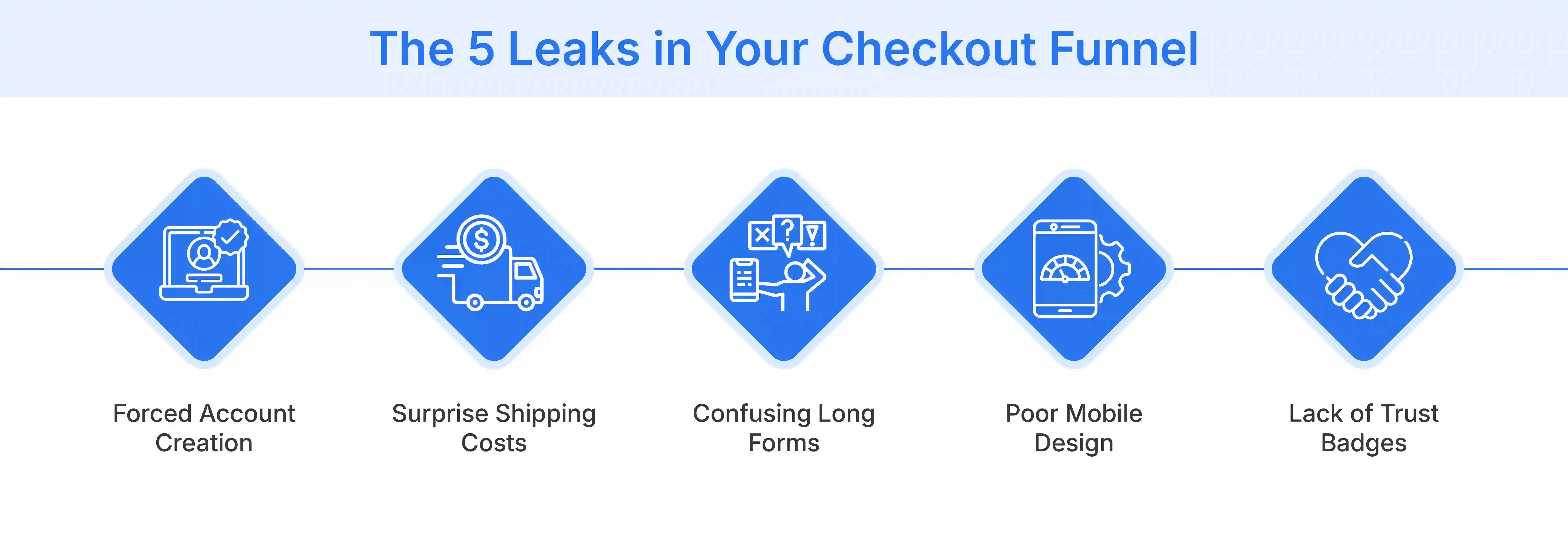
Many frustrating factors can halt a customer's purchase at the last possible moment. Understanding these common barriers is the first step to optimizing your flow and improving customer satisfaction.
- Forcing Account Creation: Many shoppers will not create a mandatory account just to buy one or two items. This demand adds unnecessary time and friction, often leading to checkout abandonment.
- Complicated Steps: A process that involves too many steps or confusing pages will feel overwhelming. Customers today expect a quick ecommerce checkout experience, not one that feels like a long, drawn-out task.
- Mobile Hostility: A checkout page that is not properly designed for mobile commerce is a major conversion killer. Mobile users will get frustrated trying to pinch and zoom on small screens, making data entry nearly impossible.
- Shady Security: Customers are extremely cautious about their payment information and personal data. A lack of visible trust signals like SSL certificates or security badges makes shoppers feel nervous and unprotected.
- Payment Roadblocks: Limited payment options are a very simple way to lose a sale. Shoppers now expect variety, including digital wallets and local payment methods, not just credit cards.
Checkout Optimization Strategies to Increase Conversion Rates
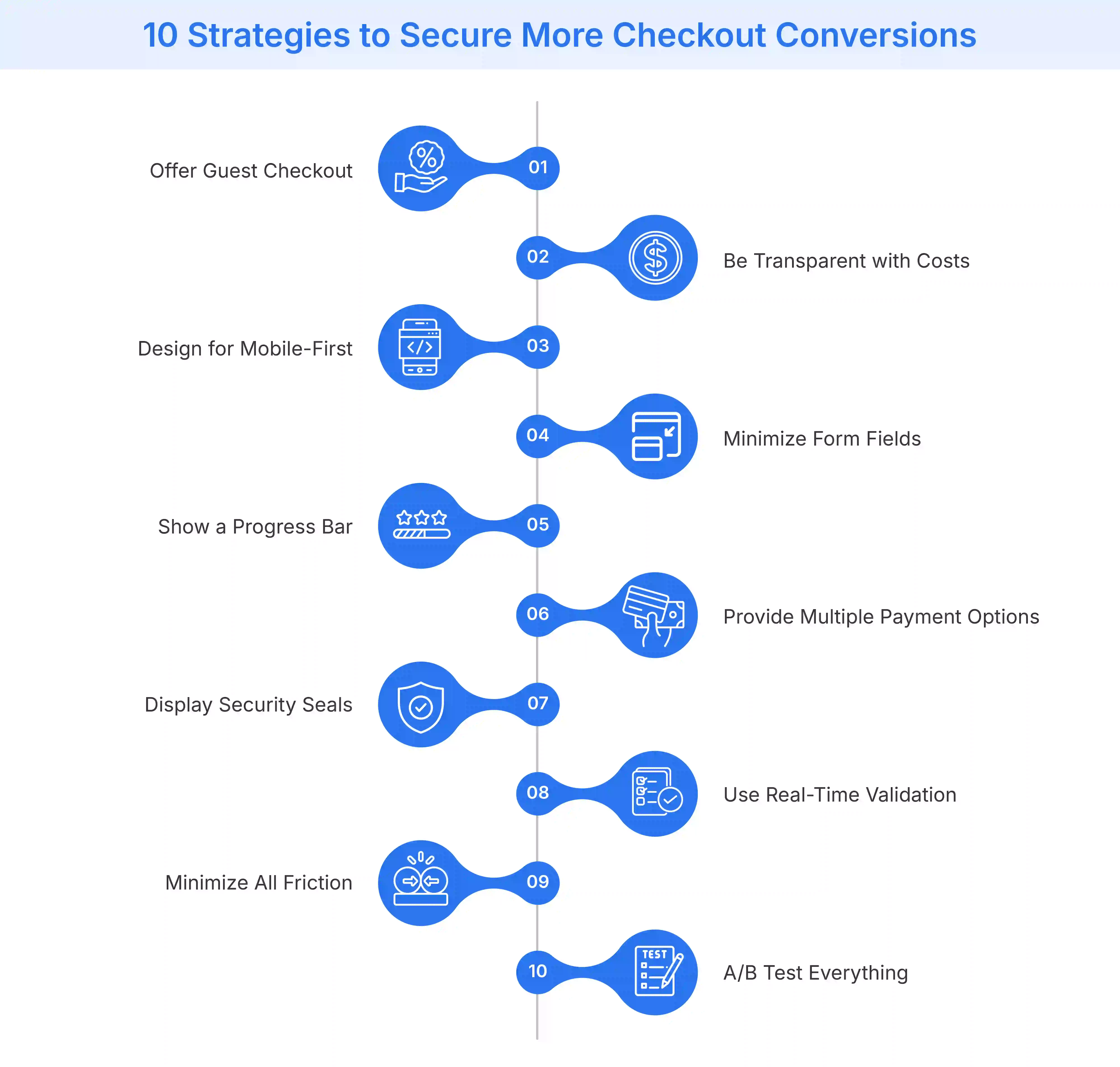
Improving checkout performance requires reducing friction at every stage of the purchase journey. The following checkout optimization strategies help businesses simplify the checkout experience, reduce checkout abandonment, and increase conversion rates across desktop and mobile commerce.
Embrace the 'Guest Checkout'
You should always provide a guest checkout option. This immediately removes the major barrier of forced account creation, which deters many shoppers. You can still offer an option to create an account after the purchase is complete to encourage repeat customers.
Be Transparent with Costs
Surprise costs are consistently the number one reason for abandonment. You must display shipping costs, taxes, and estimated delivery dates as early in the process as possible. Offering free shipping or clearly stating thresholds helps prevent ‘sticker shock.’
Design for Mobile-First Optimization
Your checkout page must work flawlessly and intuitively on all mobile devices. This requires using a responsive design with large buttons and easily tappable form fields. A mobile-first approach ensures you are not alienating the majority of your shoppers who browse and buy on their phones.
Minimize Form Fields and 'Mental Load'
Only ask for the information that is essential, such as the shipping address and billing address. Every extra field you ask a customer to fill out increases the ‘mental load.’ Use modern features like address auto-complete to speed up the process.
Show Them the Finish Line
You should use a visual progress bar to show customers exactly where they are in the checkout process. This simple indicator manages expectations and reduces any anxiety about the process's length. Knowing they are on ‘Step 2 of 3’ makes the process feel finite and encourages them to complete the final steps.
Offer Multiple Options for Payments
Offer a diverse range of payment methods to cater to the preferences of all customers. This must include major credit cards and popular digital wallets, such as Apple Pay or Google Pay. The more convenient you make the payment, the less likely a customer is to abandon their cart due to a missing option.
Flaunt Your Security
Visibly display your trust signals and security badges throughout the entire checkout process. SSL certificates and ‘Secure Payment’ notices reassure anxious customers about their data. This visual confirmation that their financial information is protected is crucial for building the confidence needed to complete the purchase.
Use Real-Time Form Validation
Prevent customer frustration by validating form fields as they are being typed. Instantly alert users to a formatting error in an email address or a missed required field. This is much better than showing an error page after they hit submit, as it makes the correction process smoother.
Minimize Friction as Much as Possible
Review every single element on your checkout page and question its purpose. You should remove any distracting banners or unnecessary navigation links. The checkout page must have one single goal: completing the purchase. Eliminate any element that could pull the customer away from that final action.
A/B Test Everything
You should not assume you know what works best for your specific audience. Continuously test different versions of your checkout page to gather actionable data. Test your button colors, the call-to-action text, the number of form fields, or the overall page layout to find what truly improves conversions.
Make Your Checkout a Conversion Machine
A streamlined checkout is the most effective sales tool for converting interested shoppers, as this final step should always be the easiest. Applying these crucial checkout optimization strategies is what transforms a leaky sales funnel into a conversion-focused machine. This process changes the checkout from a barrier into a seamless brand experience that builds customer trust.
Flipkart Commerce Cloud offers robust and reliable solutions, engineered to power this entire experience at scale. Its systems are proven to handle massive traffic, ensuring high availability and resilience even during peak sales events. This battle-tested technology offers a fast and secure process that modern customers expect from all online retailers.
The advanced Cart and Checkout services from FCC are specifically designed for maximum conversion. The platform offers robust features, including intelligent address validation and dynamic one-click payment integrations. These solutions provide retailers with the tools to reduce friction and build a trustworthy experience that turns shoppers into loyal customers.

Conclusion
Checkout optimization is not a one-time task but an ongoing process of testing, refinement, and continuous improvement. As customer expectations evolve, regularly evaluating and improving your checkout experience helps reduce friction, recover abandoned carts, and increase conversions.
Businesses looking to scale these improvements can benefit from enterprise checkout solutions that streamline the purchase journey, strengthen customer trust, and support long-term growth. Explore Flipkart Commerce Cloud’s checkout solutions to learn how modern retailers optimize conversions.

FAQ
The most common reason for abandonment is unexpected costs found during checkout. High shipping fees or taxes that were not revealed earlier are the primary cause. This "sticker shock" breaks the customer's trust and causes them to abandon their purchase, even if they were ready to buy.
Both checkout styles have distinct advantages that can work for different businesses. A one-page checkout can feel faster, while a multi-step checkout with a progress bar feels less overwhelming. The best choice depends on your audience, so you should A/B test both to see what performs best.
You can make the process faster by minimizing the number of form fields. Only ask for the information that is essential for the order. Implement features like guest checkout to allow users to skip account creation. Using address autocomplete and offering express payments, such as Apple Pay, also saves valuable time.
Display security badges, such as SSL certificates and "Secure Payment" logos, in visible locations. Be completely transparent about all costs upfront to avoid any last-minute surprises. You can also include customer support links or a phone number. These elements reassure shoppers that your site is legitimate and safe.
You should implement a cart abandonment email campaign to recover lost sales. These automated emails gently remind customers what they left behind in their cart. You can include an offer or a simple link back to their cart. This strategy gives you a second chance to convert the shopper.